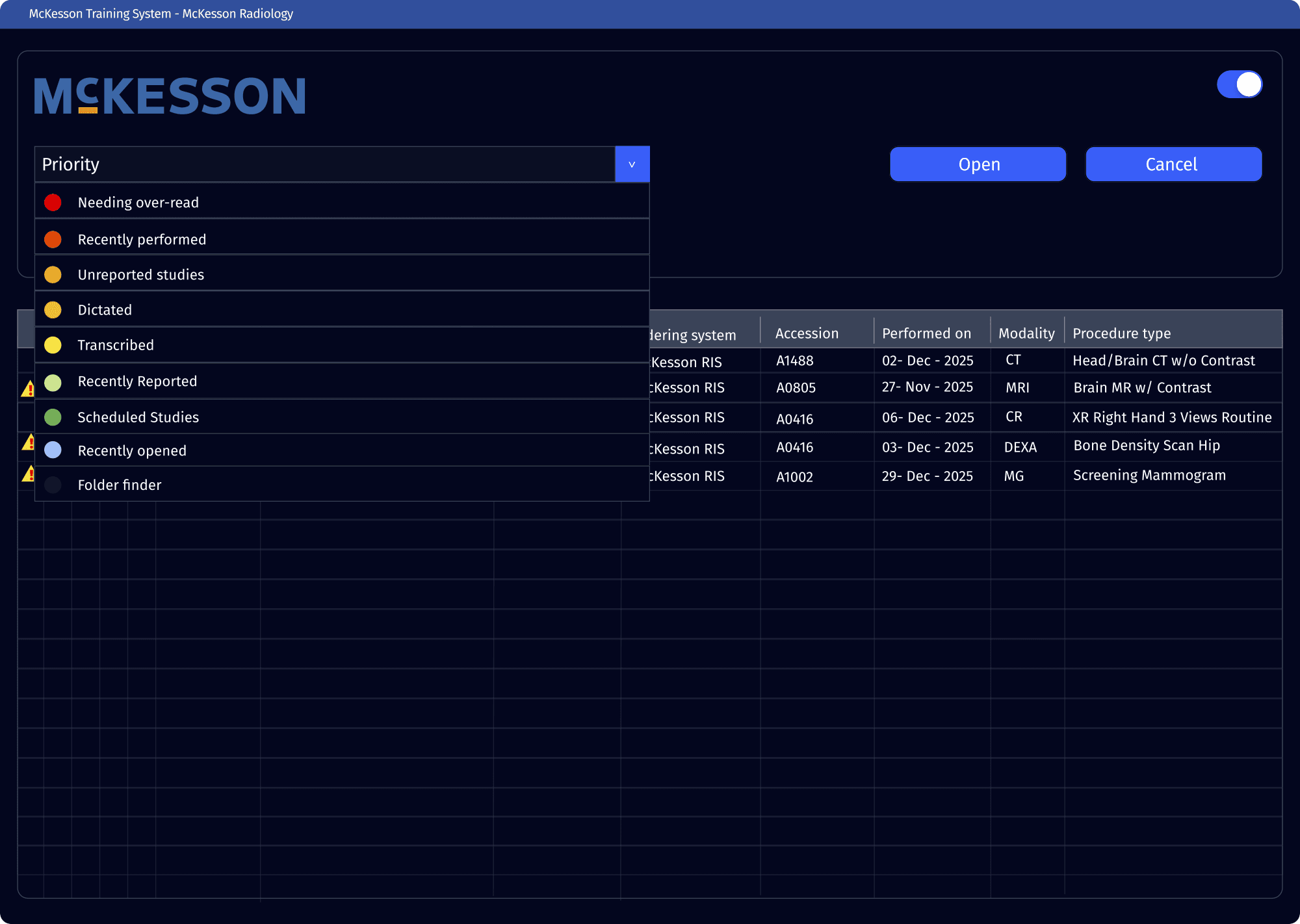
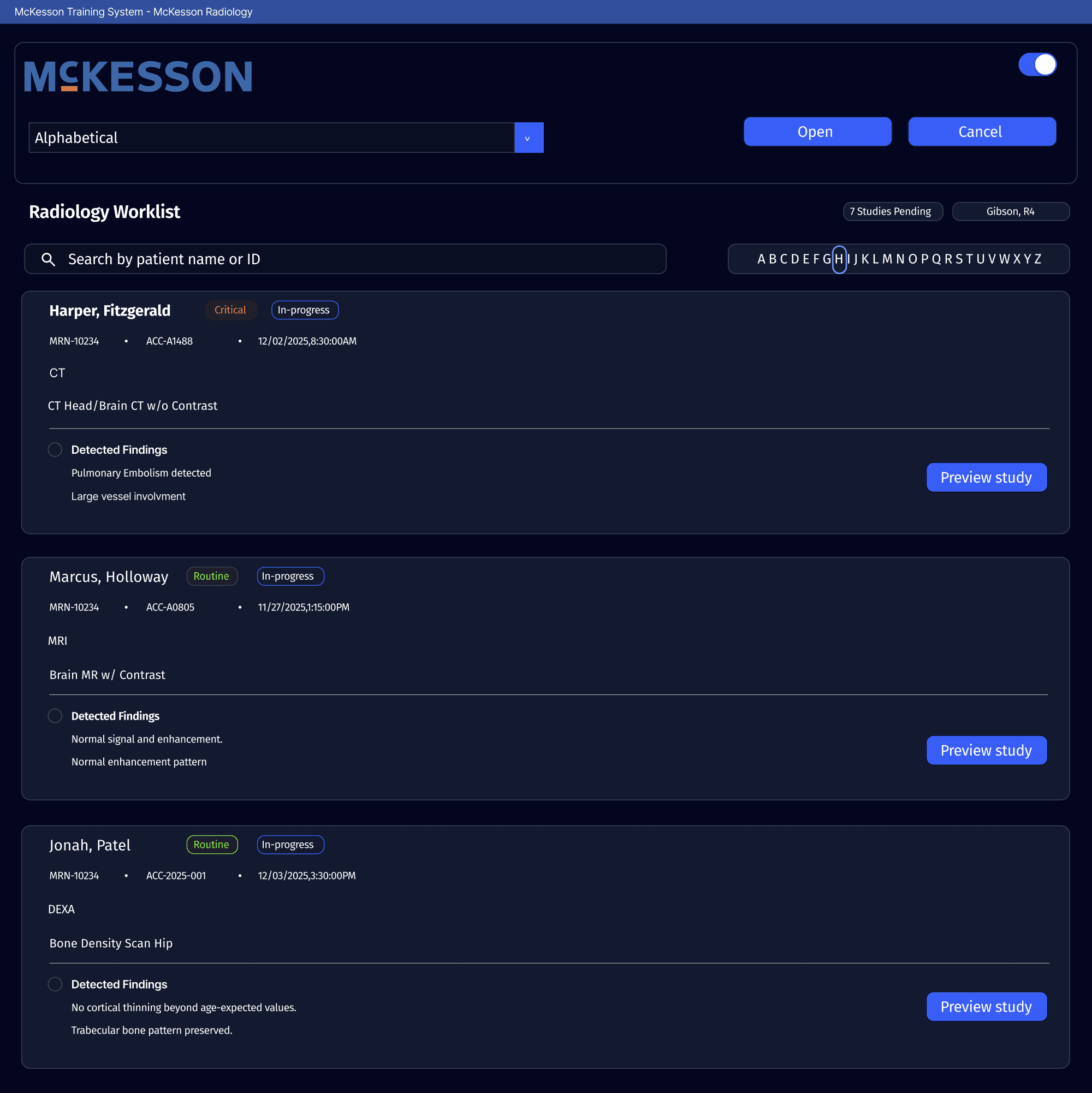
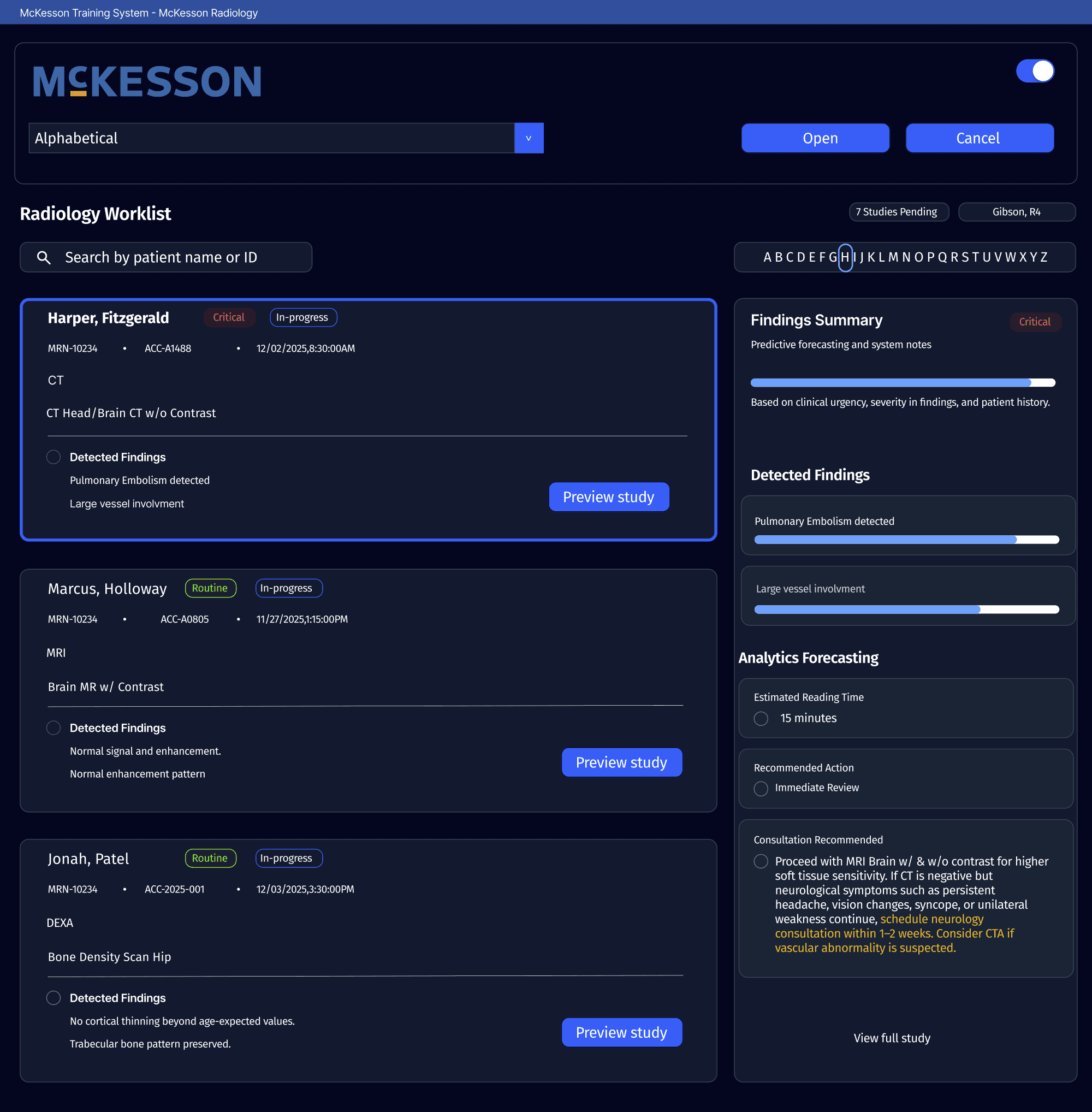
Improving Efficiency in McKesson’s PACS System By Engaging in a UXD Approach

OVERVIEW

We collaborated with daily PACS users to assess workflows, identify pain points and design an interface that streamlines navigation and improves workload management.

Deliverables:
Designed and developed 44 UI screens
Reduced task completion time by 30%
Achieved 76% user satisfaction in usability testing sessions
ROLE

Researcher, Architect, and Designer

RESPONSIBILITIES

Project Timeline, Research, Interviews, Compettive Analysis, Ideation, Journey Mapping, Sketches, Wireframes, Prototype

TEAM

Chloe Rivera, Co-Researcher

TIMELINE

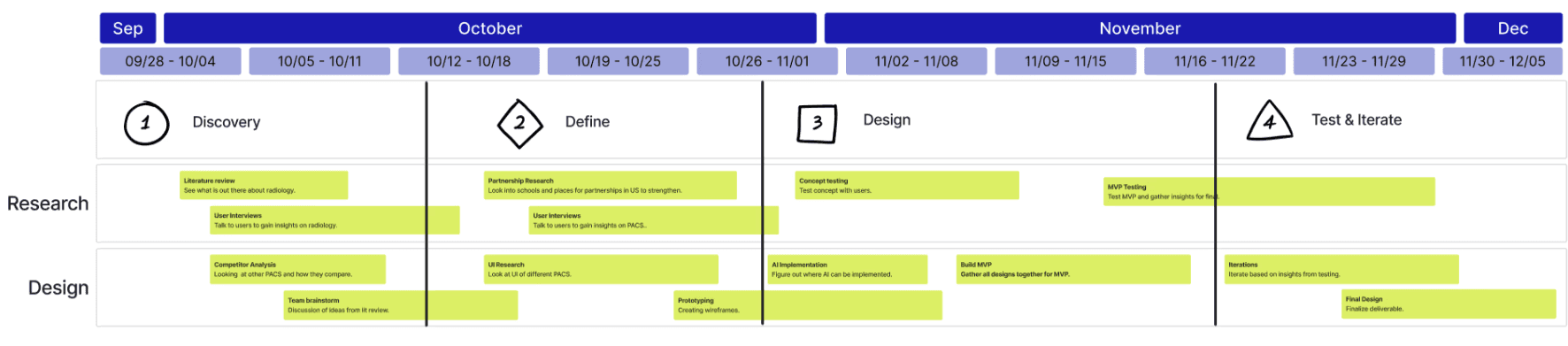
Oct. to Dec. 2025 (8 Weeks)

01 — Context
The Challenge

Radiologists are increasingly constrained by outdated imaging systems that slow down workflows, fragment critical tasks, and heighten cognitive strain during high-volume diagnostic work.

01
Inefficiency & Slow Operating Speed

Current PACS have outdated navigation and manual tasks. This slows radiologists’ workflows down.

02
High Clinical Errors & Barriers to Collaboration

Fragmented tools and poor handoff workflows increase the risk of mistakes.

03
Cognitive Overload & Workflow Fragmentation

Context-switching and cluttered interfaces add mental strain and reduce diagnostic focus.

Our Design process
02 — Research
Understanding Radiologist Workflows

We conducted interviews across specialties to map daily workflows and identify efficiency gaps.

4 core questions guided our interviews to identify areas of opportunity.

Key questions
How do radiologists navigate between imaging studies and comparison images?
What are the most common frustrations with the current system?
What information is needed at each stage of diagnosis?
How could AI assistance fit into workflow without extra overhead?
What we learned

Our interviews revealed 4 key pain points impacting efficiency and workflow, which became the foundation for our redesign.

01
Cognitive Overload
02
Inefficient imaging comparison
03
Excessive time per study
04
Wanting assistance, but fearing AI
Understanding users firsthand

We conducted an Empathy Mapping Workshop to deepen understanding of radiologists’ needs.

Says
Thinks
Does
Feels
Analyzing the current market

We analyzed top PACS platforms to identify the strongest foundations and opportunities to improve.

MCKESSON
SECTRA
PHILIPS Healthcare
03 — Ideation
Leveraging Industry partnerships

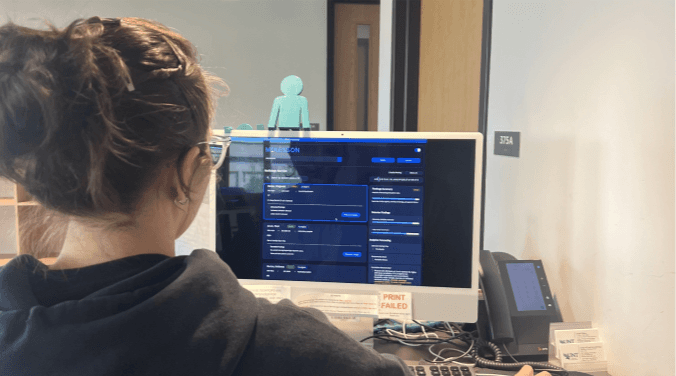
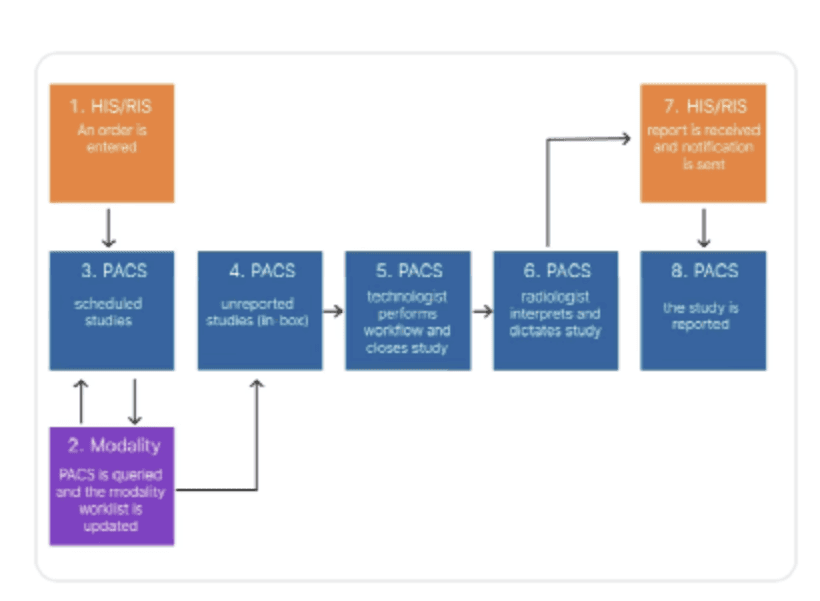
With guidance from a radiology resident, we analyzed current dataflow to identify valuable improvements.

Insights
01
Image retrieval is fast and reliable for day-to-day reads
02
Scattered menus slow residents during high-volume shifts
03
Interface feels dated; key tools are harder to find quickly
04
Customizable layouts could reduce cognitive load and improve efficiency
Evaluating McKessons current PACS system

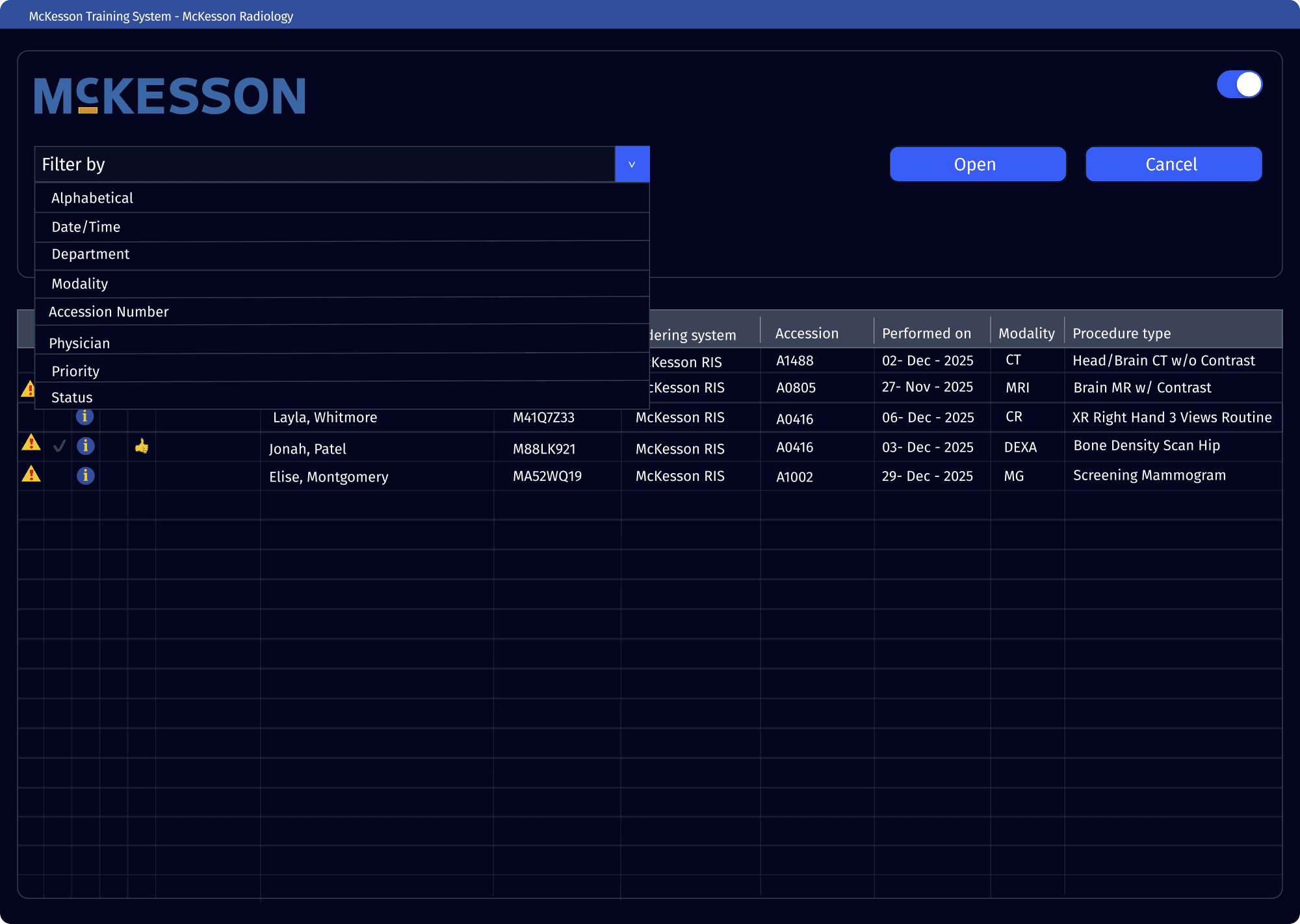
After reviewing the existing system workflow we examined the PACS interfaces to capture how users currently interact with them, and identify challenges they have with the system from a design lens.

We extracted 3 key takeaways
Cluttered Interfaces
The current interface displays too much information at once, making it difficult to quickly locate studies.
Inconsistent Visual Hierarchy
Important actions, buttons, and notifications are not consistently prioritized or grouped.
Outdated + Static interfaces
Lacks modern UI conventions, and offers limited personalization.
We redesigned the system architecture

We redesigned the workflow to ensure imaging is handled consistently and efficiently. The PACS is designed to store, manage, and distribute diagnostic images seamlessly across the healthcare system to support faster and more organized workflows.

orderexamPACScase listsearch/filtercase listai prioritizationviewerimage canvasoverview paneltoolbarannotation overlayreportstriage dashboardai confidence m...feedback portaltreatment plansettings/profileaccount detailsai controlssystem settings
Mapping our users journey

To better understand how users interact with the system, we created a detailed flowchart of the imaging workflow.

Arrive to work
04 — Design iterations
05 — Testing
Getting our designs in front of users

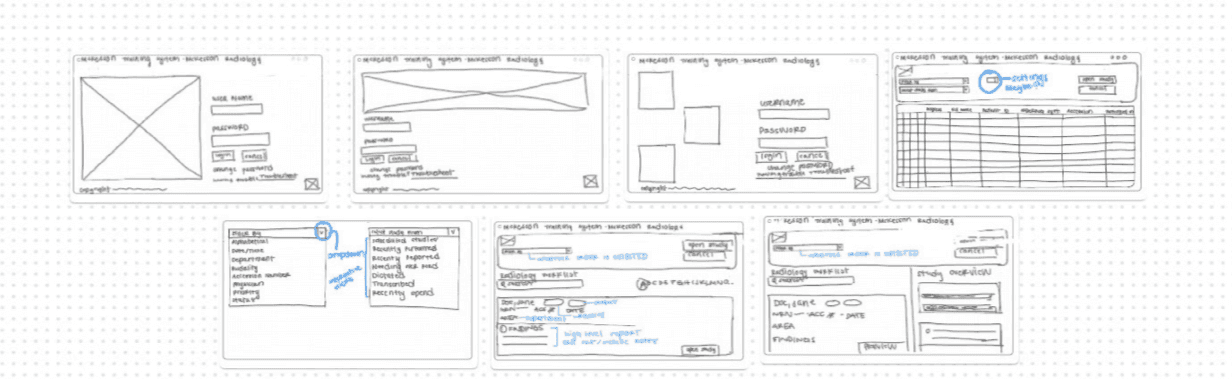
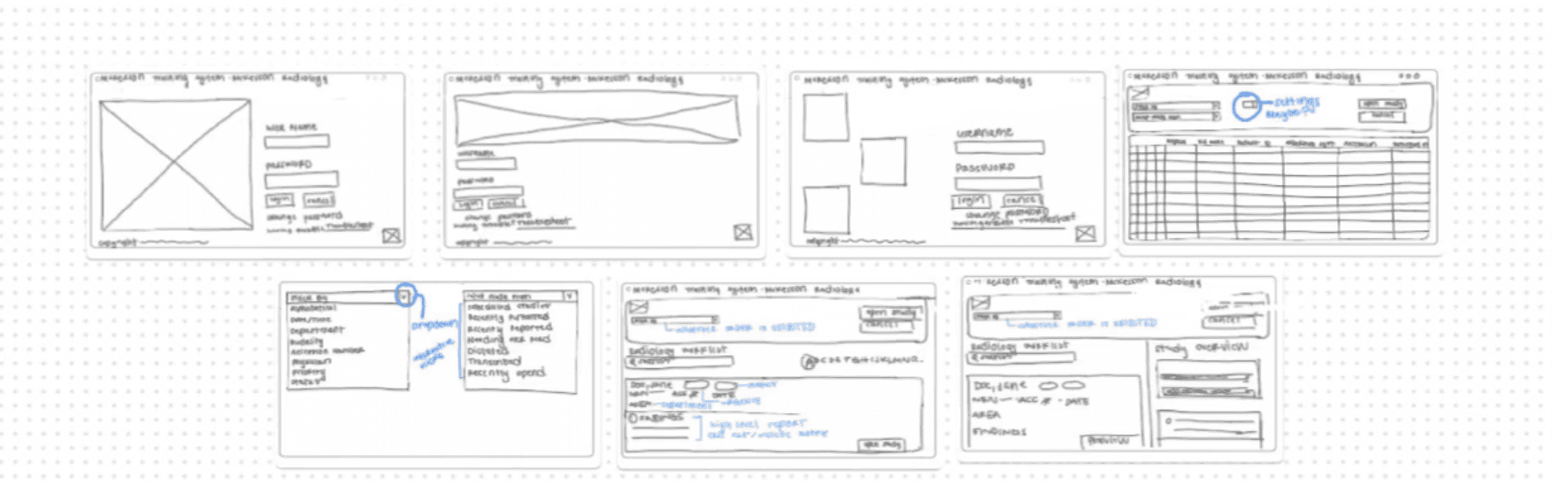
We ran two rounds of user testing with radiologists, iterating from low to higher fidelity based on feedback.

Session 1
Testing insights

Users reported significantly fewer clicks and faster setup for comparisons.

06 — Prototype
Final prototype

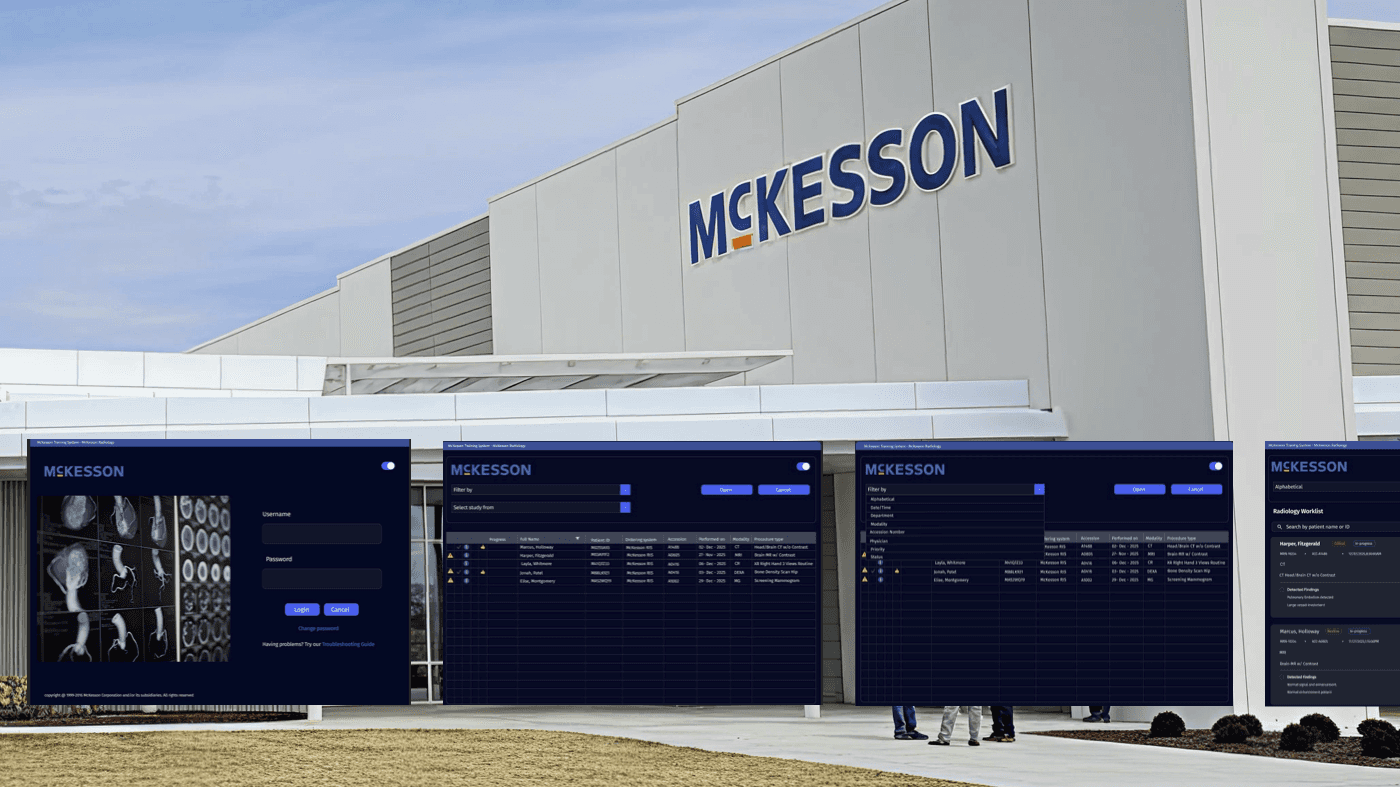
We refined branding, typography, visual hierarchy and copy to produce final prototype screens.

Summary
Improving Efficiency in McKesson’s PACS System By Engaging in a UXD Approach
OVERVIEW
We collaborated with daily PACS users to assess workflows, identify pain points and design an interface that streamlines navigation and improves workload management.
DELIVERABLES:
44 Screens
30 % Time saved
76% Satisfaction
01 — CONTEXT
The Challenge
Radiologists are increasingly constrained by outdated imaging systems that slow down workflows, fragment critical tasks, and heighten cognitive strain during high-volume diagnostic work.
01
Inefficiency & Slow Operating Speed
Current PACS have outdated navigation and manual tasks. This slows radiologists’ workflows down.
02
High Clinical Errors & Barriers of Collaboration
Fragmented tools and poor handoff workflows increase the risk of mistakes.
03
Cognitive Overload & Workflow Fragmentation
Context-switching and cluttered interfaces add mental strain and reduce diagnostic focus.
Our Design process
02 — RESEARCH
Understanding Radiologist Workflows
We conducted interviews across specialties to map daily workflows and identify efficiency gaps.
4 core questions guided our interviews to identify areas of opportunity.
KEY QUESTIONS
How do radiologists navigate between imaging studies and comparison images?
What are the most common frustrations with the system?
Where do delays or errors happen most often during high-volume reading sessions?
What we learned
Our interviews revealed 4 key pain points impacting efficiency and workflow, which became the foundation for our redesign.
01
Cognitive Overload
02
Inefficient imaging comparison
03
Excessive time per study
04
Wanting assistance, but fearing AI
Understanding users firsthand
We conducted an Empathy Mapping Workshop to deepen understanding of radiologists’ needs.
Says
Thinks
Does
Feels
Market analysis

A competitive snapshot of key players and where they excel or fall short.

McKesson
Sectra
Philips Healthcare
03 — IDEATION
Leveraging Industry partnerships
With guidance from a radiology resident, we analyzed our current dataflow to identify valuable improvements.
Insights
  • Image retrieval is fast and reliable for day-to-day reads
  • Scattered menus slow residents during high-volume shifts
  • Interface feels dated; key tools are harder to find quickly
  • Customizable layouts could reduce cognitive load and improve efficiency
Evaluating McKessons current PACS system

After reviewing the existing system workflow we examined the PACS interfaces to capture how users currently interact with them, and identify challenges they have with the system from a design lens.

We extracted 3 key takeaways
Cluttered Interfaces
The current interface displays too much information at once, making it difficult to quickly locate studies.
Inconsistent Visual Hierarchy
Important actions, buttons, and notifications are not consistently prioritized or grouped.
Outdated + Static interfaces
Lacks modern UI conventions, and offers limited personalization.
Mapping the user journey
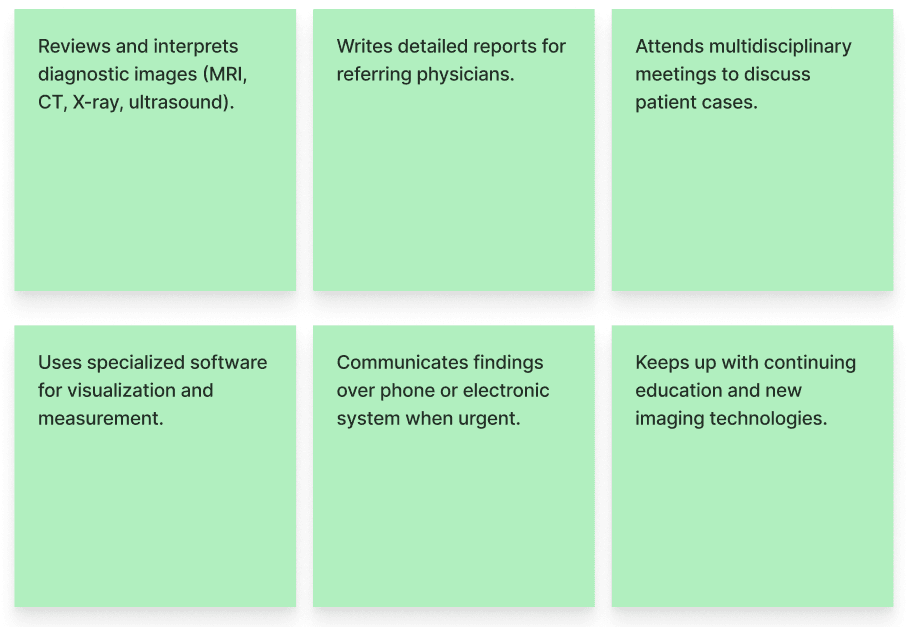
We mapped key moments in the workflow to understand where friction accumulates and where design interventions have the biggest impact.
Start the shift
Radiologist signs in and loads the reading list.
Find the study
Navigates to the correct study and relevant priors.
Compare images
Moves between series and comparisons to reach a diagnosis.
Document findings
Creates and signs the report, then communicates urgent results.
Close the case
Shares results and moves to the next study with minimal friction.
04 — DESIGN ITERATIONS
TESTING + PROTOTYPE
Testing sessions

We ran quick sessions to validate navigation and image comparison workflows.

Session 1
Initial prototype

Validated the new navigation model.

06-prototype
Prototype

Create a free website with Framer, the website builder loved by startups, designers and agencies.